I Built an AI Design Critic That Judges My Apps Against Apple's HIG
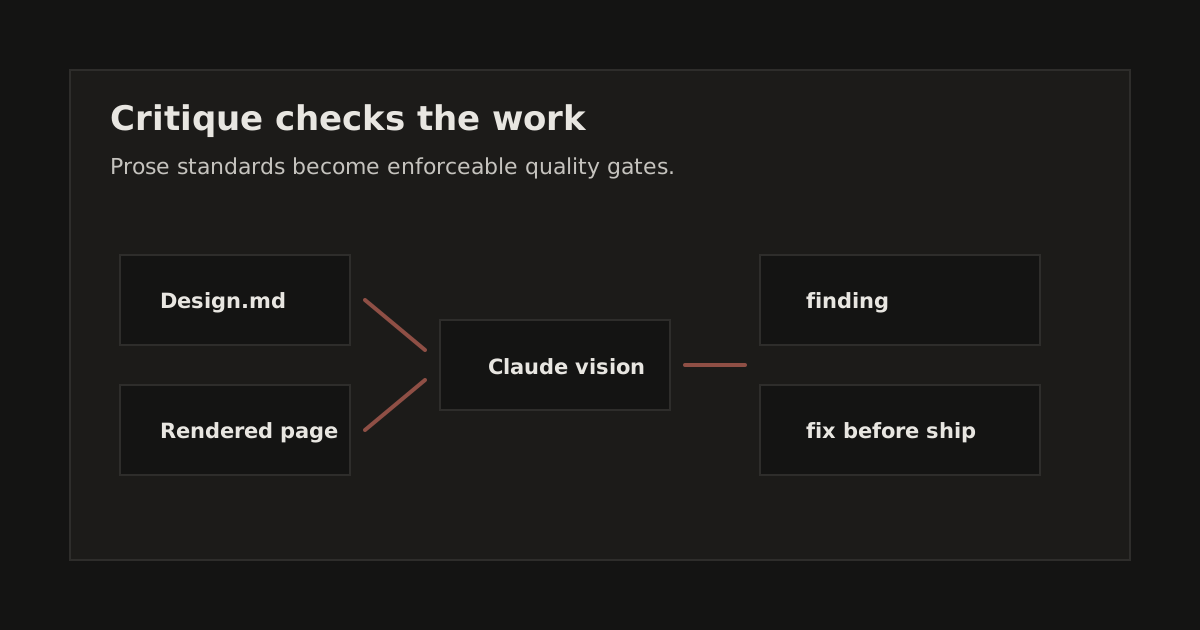
The model can change. The gate is the asset: a visible review step that turns design standards into evidence before work ships.
I have a 39KB design system. Color tokens, typography scale, spacing rules, component patterns, dark mode specs, accessibility requirements, all documented in meticulous detail.
My agents read it. Then they drift.
It creeps in. The first few components come out clean.
By the third session, a hardcoded #6b7280 appears where
text-muted-foreground should be. By the fifth, someone's
using p-[7px] instead of the spacing scale. By the tenth,
the status indicators are three different shades of green that don't match
anything in the design system.
Each violation is small. The accumulation is death by a thousand cuts. I ran a formal audit in January. Grade: C+. Unfixed P0 violations. And this is a system where the design spec exists and is comprehensive.
The design knowledge was written down, but the checks were still manual. I built a gate that turns those standards into review output.
The Problem: Linters Can't Lint Design
ESLint catches unused variables, TypeScript catches type errors, and Prettier formats your code. The design gap in my apps was different: a technically valid page could still use a color outside the design system.
The normal code checks were not enough for that problem. The code compiled, the page rendered, and the button worked. The issue was color, spacing, font weight, or animation curve, which only showed up when the rendered page was judged against the design system.
The gap gets worse when AI agents write the code. A human developer who's
been on the project for months has internalized the design system. They
reach for text-primary without thinking. An AI agent reads
the design system at session start, generates correct code for a while,
then drifts as the conversation goes on and the spec falls out of the
context window.
Manual review catches some of it. But manual review is exhausting, inconsistent, and happens after the code is written, sometimes after it ships. You're paying the highest cost (human attention) at the lowest-leverage point (after the fact).
The question I kept asking: can you automate design taste?
Not style formatting. Not accessibility audits. Actual design judgment , "this spacing looks wrong," "these colors don't work together," "this doesn't feel like an iOS app."
It turns out you can. You just need a different kind of linter.
The Key Insight: Prose as Config
Here's the idea that makes the whole system work: the design system document is the rule engine.
Traditional linters encode rules in code. ESLint rules are JavaScript functions. SwiftLint rules are Swift structs. Adding a rule means writing code, testing it, publishing a package, updating configs. Want to change "minimum touch target from 44pt to 48pt"? That's a pull request to the linter repo.
Critique reads the design system spec as a markdown file and uses Claude as the analysis engine. The rules are prose, and the spec is the config. Updating a rule means editing a markdown file.
DESIGN_SYSTEM.md → Claude → violations
That's the entire architecture in one line.
When I added haptic feedback rules last week, "light feedback for selection, medium for actions, heavy for destructive operations", I wrote it in the design system doc. Critique started enforcing it immediately. No code change to Critique itself. No rule file. No plugin. I updated the spec, and the enforcement followed.
This works because LLMs can interpret nuance that regex can't. A
traditional linter can flag text-[#6b7280] as a non-standard
class. It cannot look at a screenshot and say "the spacing between these
cards is inconsistent even though both use gap-4." It cannot
read a design system that says "internal padding should be less than or
equal to external margin" and flag a component where the padding exceeds
the margin. Claude can.
The tradeoff is speed. A regex linter runs in milliseconds. Critique takes 30-90 seconds per review. For a pre-commit hook, that's slow. For a design quality gate that catches violations no linter ever could, it's fast.
Two Critics: Code and Vision
Critique has two complementary analysis layers that run in sequence.
Code Critic: What's Wrong in the Source
The Code Critic reads source files, TSX, Swift, CSS, and checks them against the design system. Pure static analysis. No rendering.
It catches the violations you'd expect a design linter to catch: hardcoded hex colors instead of design tokens, wrong Tailwind classes, arbitrary spacing values, missing state handling, accessibility gaps, and platform-inappropriate patterns.
How it works: git diff identifies changed files. For each
changed file, Claude reads the full source with the design system as
context and returns structured violations, file, line number, rule,
severity, message, and a concrete fix suggestion.
The output looks like this:
P1 [Design System]  web/src/app/goals/[id]/page.tsx:401
    Status indicator colors hardcoded (text-green-600, text-yellow-600)
    instead of using semantic tokens (success, warning, destructive)
    Fix: Replace hardcoded colors with semantic tokens
Every violation includes the fix. Not "this is wrong", "this is wrong, and here's the exact change."
Visual Critic: What's Wrong on Screen
The Visual Critic takes screenshots and feeds them to Claude's vision capabilities. It catches issues that are invisible in source code.
For each affected route, Playwright captures four screenshot variants: light mode at desktop (1440px), light mode at mobile (390px), dark mode at desktop, and dark mode at mobile. Claude vision analyzes each screenshot against the design system and returns violations with annotated regions.
It catches what code analysis can't: visual spacing that "looks wrong" even when the CSS values are technically correct. Alignment issues between adjacent elements that emerge from component composition. Color contrast problems visible only in context. Layout breakage at different viewports. Dark mode rendering issues. And "AI slop", generic, cookie-cutter layouts that pass every lint rule but lack intentional design.
Why Both
Neither approach alone is sufficient. The Code Critic finds the right
violations but can't see the rendered result. It knows you used
gap-4 but can't tell you the visual spacing looks
inconsistent because an adjacent element has different padding.
The Visual Critic sees the rendered result but can't identify the fix. It
can say "the spacing between these cards is uneven" but can't point to
line 47 where gap-4 should be gap-6.
Together: Code Critic finds what's wrong in the code. Visual Critic finds what's wrong on screen.
Apple-Grade Rules
A design quality system is only as good as its rules. Generic "follow Material Design" guidance produces generic results. I wanted rules that would push my apps toward Apple Design Award quality, the standard where every detail is intentional.
Feedback timing. Every interactive element must provide visual feedback within 100ms. No exceptions. If a mutation takes time, show optimistic UI or a loading indicator. The user should never wonder "did that work?"
Animation. Spring animations are the default for all
interactive transitions. easeOut is acceptable for entrance
animations. Linear easing is prohibited for movement, it's reserved for
infinite spinners. Maximum duration: 500ms. Users who've enabled Reduce
Motion get instant transitions.
Haptics on iOS. Not optional. Light feedback for selection changes. Medium for toggle actions. Heavy for destructive operations. Haptics must synchronize with the animation peak. Never on scrolling. Never on typing. The feedback should feel like the UI element has physical weight.
Native patterns. On iOS, this means NavigationStack, not
custom navigation. TabView with max 5 items, not a custom tab bar.
.contextMenu for long-press, not a custom popover.
.refreshable on scrollable lists. System edge-swipe-back
gestures respected. ShareLink over custom share UI.
Visual hierarchy. Internal padding must be less than or equal to external margin. One focal point per screen. Maximum three type sizes per view. Body text at minimum 16px, left-aligned only, never justified.
Dark mode. No pure black for backgrounds. No pure white for body text. Shadows don't work in dark mode, use elevation through surface color instead. Desaturate brand colors 10-20%. Test dark mode independently, not as an afterthought.
Accessibility. Touch targets at minimum 44pt with 8pt spacing between them. No color-only cues, always pair with an icon, pattern, or label. Logical heading hierarchy. Labels describe purpose, not element type. Support Dynamic Type on iOS.
These rules are specific enough to be enforceable and opinionated enough to produce quality. Critique reads them as prose and interprets them in context. When I add a new rule, enforcement starts on the next review.
Explore Mode: Automated QA for Your Entire App
The Code Critic and Visual Critic review files that changed. I also needed coverage for pages outside the current diff. A dependency update can shift a font weight. A token change can affect components throughout the app. A page that looked correct last week can deserve another look even when its source file was not edited.
Explore mode fixes this. It's a Playwright-powered breadth-first crawler that discovers and visits every route in the app, captures screenshots, collects console errors, inventories interactive elements, and produces a comprehensive QA report analyzed by Claude vision.
The crawler starts at the root URL and discovers links. For each route, it captures a screenshot, collects all console errors and warnings, inventories visible buttons and links, discovers outgoing links for the next depth level, and optionally records a video walkthrough.
The screenshots go to Claude vision with a richer prompt than the standard Visual Critic. It includes console errors and the interactive element inventory as context, so a fetch error and the loading state around it can be reviewed together.
Console errors are converted to violations. A
Failed to fetch error on the goals page becomes a P1
finding in the report, next to the visual issues from the same route.
This is the difference between reviewing what changed and reviewing what exists. Code reviews catch regressions. Explore mode catches drift.
From Commit to Deploy
Critique integrates at three points in the development workflow.
Pre-commit hook. When you run git commit,
the Code Critic reviews staged files. It takes 30-90 seconds. P0
violations, data-loss risks, and rendering failures block the commit. P1
and P2 violations print as warnings. The model is fast (Haiku) to keep
latency acceptable.
Pre-push hook. Before code leaves your machine, a more thorough pass runs with a more capable model (Sonnet). Same rules, deeper analysis. This is the "are you sure?" gate.
Deploy gate. Before production deployment, both critics run, Code Critic on all changed files since the last deploy, Visual Critic on affected routes with the full screenshot matrix. A unified report posts to the Slack product channel. P0 violations block the deploy.
The philosophy is non-blocking by default. Most violations are warnings that educate. You see the issue, you learn the rule, you fix it or consciously skip it. Blocking is reserved for P0, the violations that would visibly break the product.
This matters because overly aggressive tooling gets bypassed. If every P2
spacing issue blocked your commit, you'd add --no-verify to
your shell alias within a week. By reserving blocking for genuine quality
gates, Critique stays useful instead of becoming the thing you skip.
What It Actually Found
Here is what Critique found in production code.
Initial audit across two apps: 10 violations in one (the iOS + web app), 20 in the other (the marketing site). The design system existed. The violations existed alongside it. Knowledge without enforcement is decoration.
A single-file review of a goal detail page, one file,
1,100 lines of TSX, found 10 P1 violations and 4 P2 violations.
Hardcoded orange-500 colors throughout instead of the
primary token. Status indicators using text-green-600,
text-yellow-600, text-red-600 instead of
semantic success, warning, destructive
tokens. Hover states, drag handles, checkboxes, schedule buttons, all
hardcoded.
Every one of these passed the TypeScript compiler, the ESLint config, and Prettier formatting. The code was "correct." The design was wrong.
Skeleton loading states were using
bg-orange-500/5 and border-orange-500/10 ,
hardcoded brand colors that would break if the primary color token ever
changed. The fix: bg-primary/5 and
border-primary/10. Same visual result today. Resilient to
future token changes.
Console errors from Explore mode surfaced
Failed to fetch errors on pages that had not been changed in
weeks. The crawler found them, and the visual critic caught the resulting
loading states.
The pattern is clear: violations can accumulate in working code. The code works, but the design drifts. The only way I have found to catch that drift systematically is to check systematically.
The Taxonomy
Not all violations are equal. Critique uses a four-level severity system: P0 (critical, blocks commit/deploy), P1 (high, fix before next deploy), P2 (medium, fix in next sprint), P3 (low, fix when convenient).
And eight issue categories that apply across all three critics: design system, visual, functional, UX, content, performance, console, and accessibility. The taxonomy isn't novel. What's novel is that a single system surfaces issues across all eight categories using prose rules instead of eight separate tools with eight separate configurations.
Why "Critique"
Critique is the deliberate act of evaluating work against a standard. In design school, the critique is where work gets better because the feedback is specific enough to act on.
The Takeaway
Design quality enforcement became practical once the review could read the same prose standard I use while designing. Static checks still matter, and manual review still matters, but the useful layer here is an LLM that evaluates code and screenshots against the written standard.
The architecture is a markdown design system document, a Python script that feeds changed files to Claude, a Playwright capture that feeds screenshots to Claude vision, and a crawler that discovers the full app surface area. The total custom code is around 2,000 lines across three scripts, with no framework, SaaS dependency, or dashboard.
The prose-as-config pattern is the part I think about most. It's applicable beyond design enforcement. Compliance requirements, API standards, content guidelines, and brand voice have the same operating problem when the rules are written down but not enforced. Write the spec in prose, feed it to Claude with the artifact to evaluate, and get structured findings back.
I named it Critique because the word captures what good enforcement should feel like: a skilled evaluation against a standard, delivered with enough specificity to make the work better.
Design systems don't enforce themselves. Now mine does.